
Run of Show Meaning Explained: Keeping Your Event on Track with the Right Equipment Rental
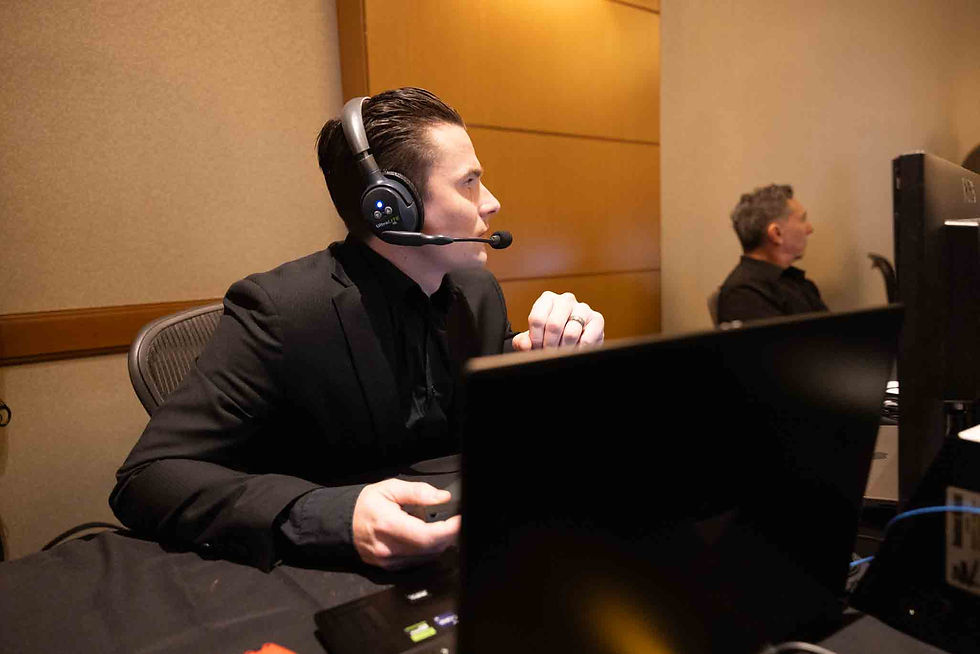
When organizing an event, you've likely come across the term "run of show."
It might sound like just another word for an event agenda or itinerary, but in the production world, it's so much more.
The run of show meaning refers to a detailed, minute-by-minute, cue-by-cue breakdown of all technical and content transitions in your event. It provides every crew member—from lighting, audio, video, to stagehands—exact instructions on when and how things should happen.
Why Run of Show Meaning Is So Important
A strong run of show can spell the difference between a seamless, polished experience and a chaotic scramble. It ensures that no cue is missed, no transitions lag, and all technical crews are informed precisely on what to do at the right moment. This thorough preparation is essential in delivering a successful event.
Key Components of a Run of Show
Creating a run of show involves several key components:
Time / Duration: Start time, end time, and duration of each segment or cue.
Segment / Activity / Cue Name: The specific content or transition occurring, such as “Opening Video” or “Keynote Speaker Intro.”
Technical Cues: Details like lighting, video, audio, stage changes, and mic cues necessary for that moment.
Responsible Party / Department: Who (e.g., audio engineer, lighting, video, stagehand) is tasked with executing each cue.
Best Practices & Common Pitfalls
To keep your event on track, consider these best practices:
Buffer time is your friend: Avoid scheduling segments back-to-back. Allow transition margins of 2–5 minutes.
Use version control: Last-minute changes happen. Use live-updating tools or clearly labeled versions to stay organized.
Avoid over-cues: Focus on necessary cues to avoid micromanaging and cluttering the schedule.
Ensure cross-department synchronization: Align lighting, audio, and video cues to avoid conflicting shifts.
Rehearse full cue-to-cue walkthroughs: This helps identify snags or timing issues.
Have backups for critical media/video: Ensure fallback options for video files, slides, and media playback.
Communicate changes clearly: If a cue shifts, inform all relevant stakeholders promptly.
FAQs
What happens if there's a last-minute change?
Use live-updating tools or version tracking to manage changes and make sure all teams are informed promptly to adjust accordingly.
How can I ensure no cues are missed?
Rehearse cue-to-cue with all departments present, and allow for buffer times to ensure everyone's ready for the next action.
Is it necessary to have backups for media files?
Absolutely. Always prepare backups for your critical media files to avoid hiccups if something doesn't go as planned.
At Broadcast Rentals and Events, we understand the intricacies of event execution. Choose the right support with us to enhance your run of show and ensure every event runs smoothly. Share the Run Of Show early, let us collaborate with you to ensure a seamless experience for you, your audience, and your presenters.


Comments